
Subnets
Inside Lium: the GPU marketplace on Bittensor subnet 51
Inside Lium, the GPU marketplace on Bittensor subnet 51: its product, reported customer growth, automation tools, and how to buy SN51 Alpha on PotaTao.

In this article
Every AI project eventually hits the same wall. It needs a powerful graphics card, and it needs one now. Buying a top-end card costs tens of thousands of dollars, and renting from a large cloud provider often means quotas and waiting lists.
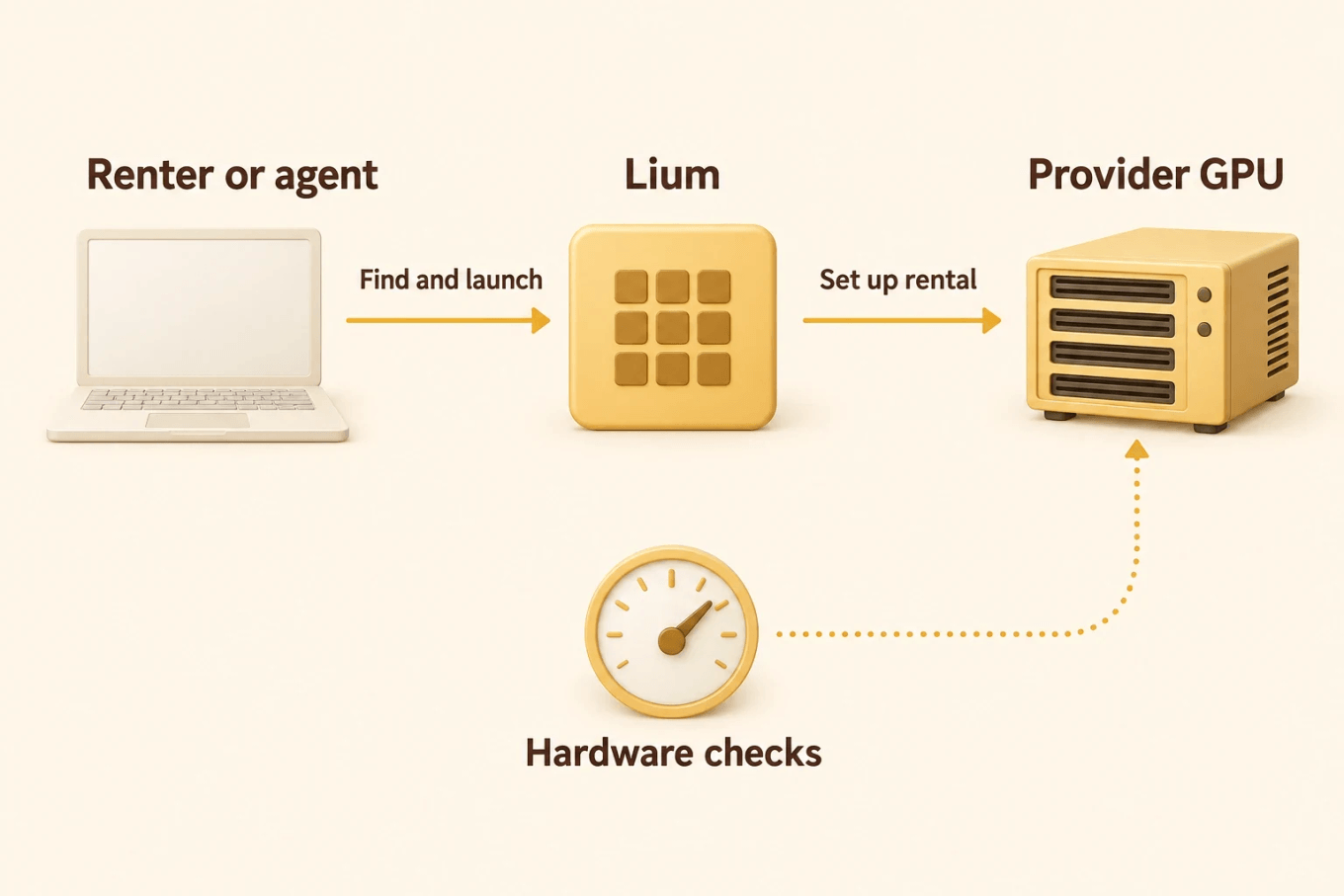
Lium, formerly known as Celium, takes a different route. It is a marketplace where people who own GPUs rent them out by the hour to people who need them. The Lium subnet is number 51 on Bittensor, often written SN51. Lium matches renters with machines, checks the hardware and handles the billing, while Bittensor rewards the providers who keep those machines available.
What makes Lium worth a closer look is who is doing the renting. In the 30 days to 9 September 2026, Lium says it billed renters $964,000, and that 63% of rentals were started by software rather than by a person clicking a button. A growing share of its customers may be AI agents.
Below, we look at how Lium works, what those numbers do and do not tell you, and, if you want exposure to the subnet itself, how to buy SN51 Alpha on PotaTao.
At a glance
- What it is: a marketplace for renting GPUs, built by Datura AI Corp on Bittensor subnet 51.
- Who uses it: developers and AI agents that need compute to run, train or fine-tune models.
- How pricing works: each provider sets an hourly rate, and you are billed by the second.
- Reported traction: $964,000 billed to 1,187 renters in the 30 days to 9 September 2026, according to Lium.
- Figures checked: 26 September to 1 October 2026.
Renting the machine, not the app
There is a difference between using an AI tool and running one. A chatbot gives you answers. A rented GPU gives you the machine underneath: you choose the model, the software and the job, and the hardware is yours until you are done.
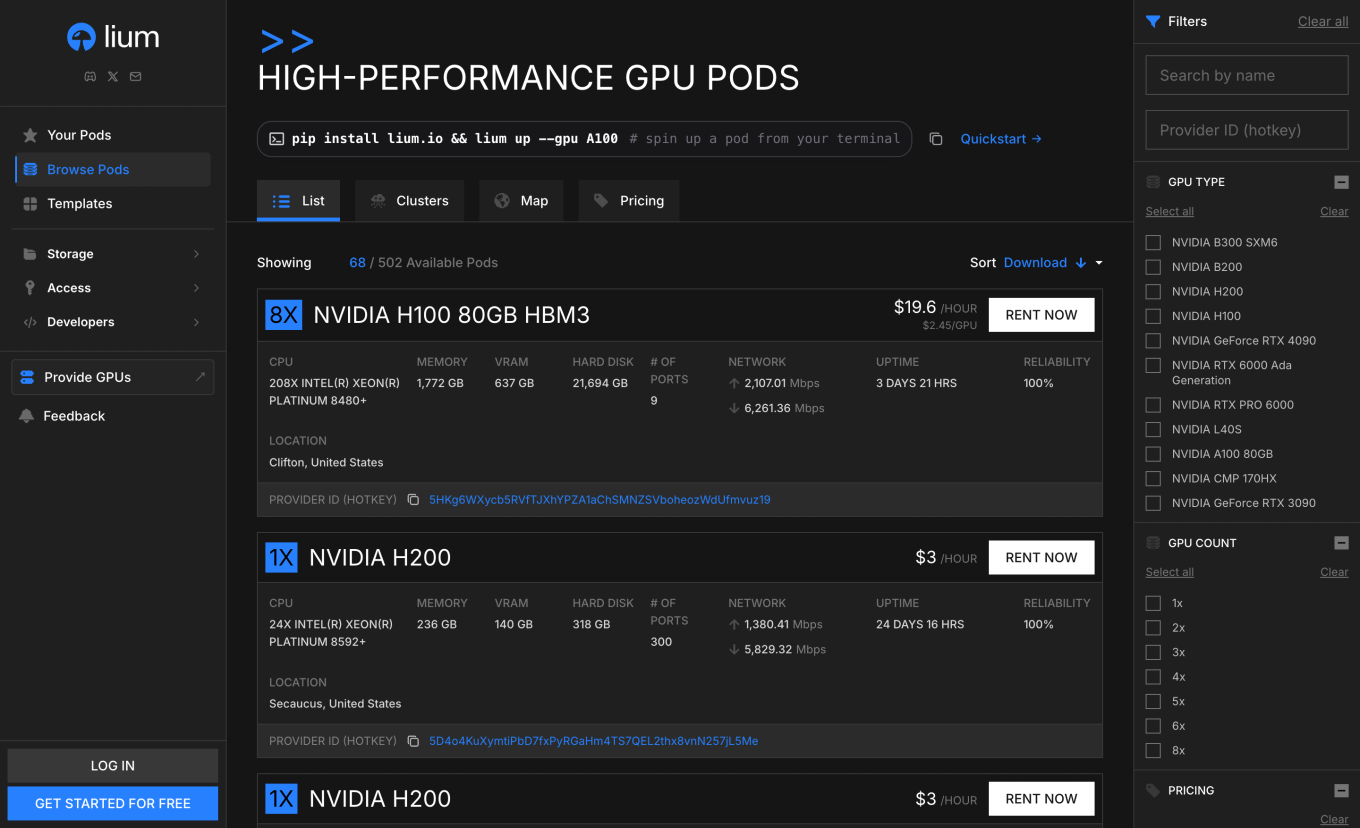
That is what Lium sells. Its marketplace lists machines from independent providers, each with its own card, memory, location and price. You pick one, and Lium starts a pod on it, a container holding the software your job needs. You might test a new open model for an afternoon, fine-tune it on your own data, or work through a batch of files overnight.
If you read our Chutes spotlight, this is the other side of the same coin. Chutes serves AI models to you on demand. Lium rents you the hardware to run them yourself.
Pricing is simple to follow. Rates are listed per hour on Lium's pricing page, but billing runs by the second, from the moment you deploy until you remove the pod. That cuts both ways. You never pay for an hour you did not use, and you pay for every second a forgotten pod keeps running.
Built for software as well as people
Most cloud services assume a person sitting at a dashboard. Lium also builds for the case where nobody is.
Its agent documentation sets out a path an AI agent can follow on its own: create an account, find a GPU, start a rental, run commands and shut the pod down, all from the command line or the API. Public price feeds let the agent compare machines, and scheduled termination lets it set an end time, so a rental cannot quietly run up a bill.
Early users seem to agree with the approach. One developer, vaNlabs, wrote on 25 September that after topping up with TAO, creating an API key and handing the documentation to their agent, it was probably the smoothest GPU setup they had used. That is one person's experience, but it is exactly the experience Lium is designing for.
What Lium's own numbers say
Lium shares its business figures in public. Its month in review covers 10 August to 9 September 2026: $964,000 billed to 1,187 renters, 36% more than the $709,000 paid by 445 accounts in the previous 30 days. The typical rental lasted just over an hour.
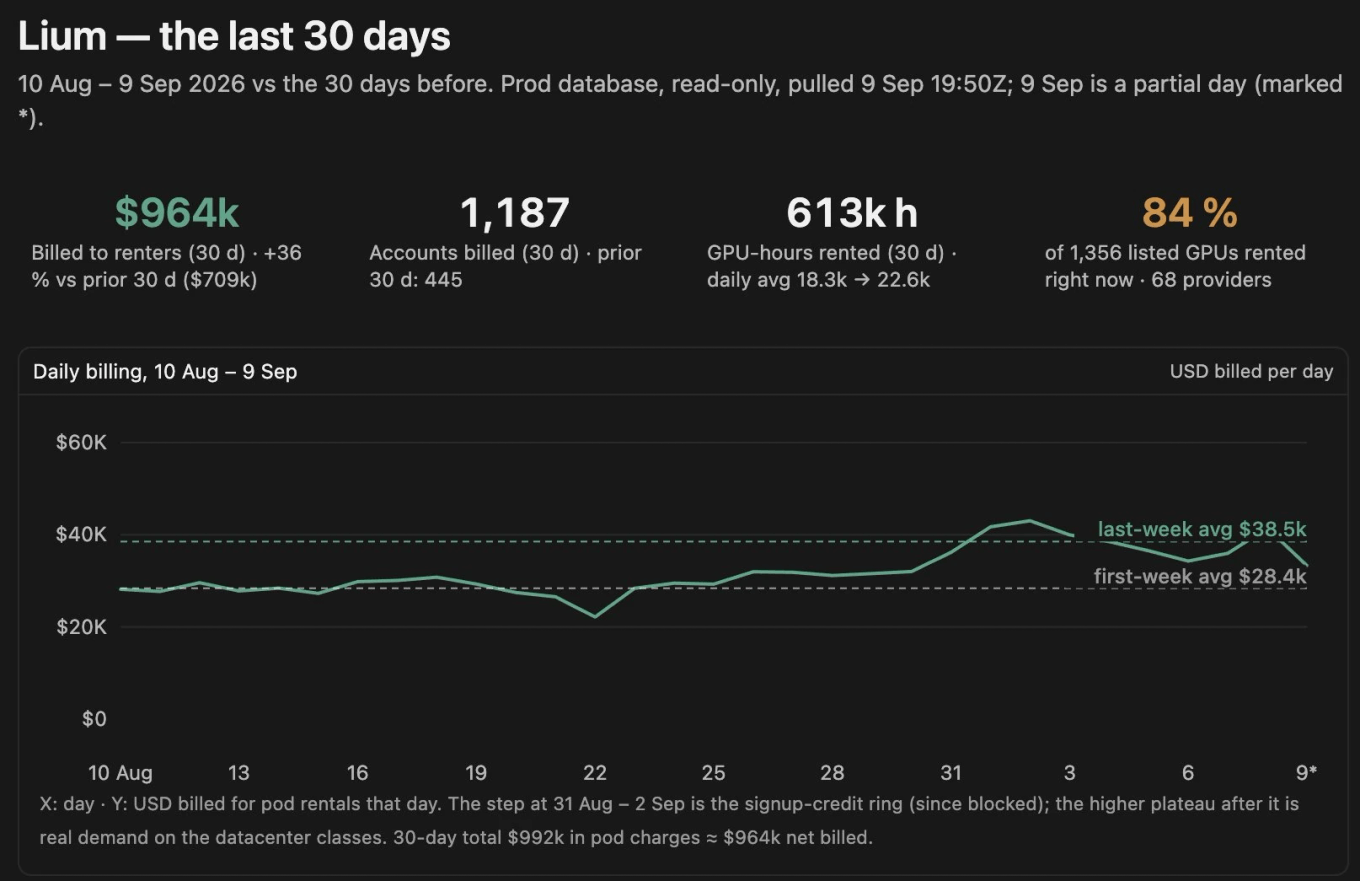
These are Lium's own figures rather than audited accounts, but they point in a clear direction. Average daily billing rose from about $28,000 in the first week to $38,500 in the last, and Lium's chart flags the one exception itself: a short spike at the end of August from a signup-credit scheme it has since shut down.
It also helps to know where the money goes. Providers keep 95% of every rental, so most of what renters pay flows straight to the people supplying the GPUs. That is what persuades them to bring hardware online in the first place.
The number to watch is 63%, the share of rentals started by software rather than through the website. That covers simple scripts as well as AI agents, but either way it means developers are building Lium into their own tools rather than renting by hand.
Where the hardware comes from
Lium says its capacity comes from 68 datacentres in 21 countries. Every listing is a real machine somewhere, with a provider responsible for keeping it online.

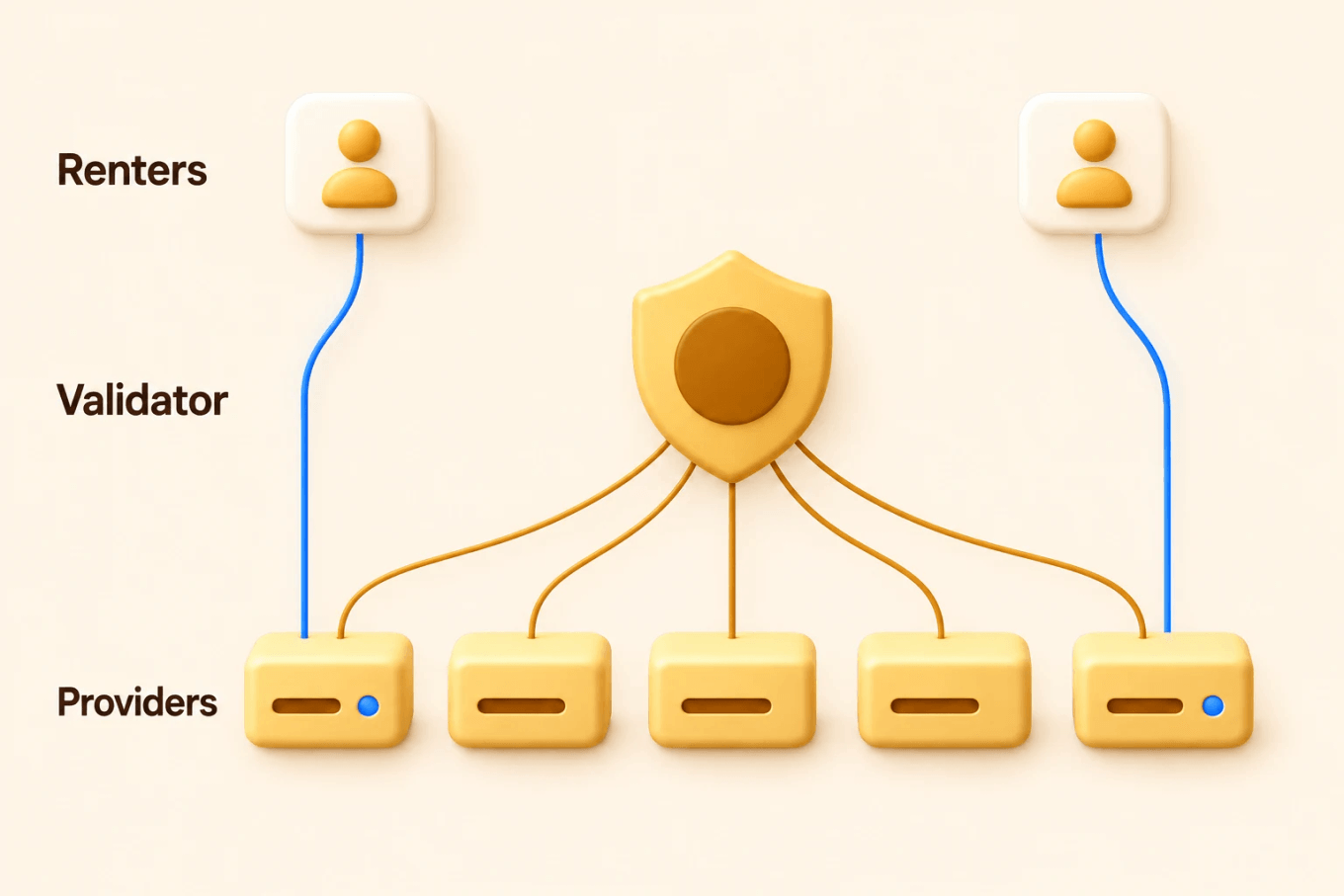
Bittensor is what keeps those providers honest. Lium runs a single validator that checks every connected machine every 15 minutes, confirming the hardware is what the provider says it is. That keeps quality checks fast and consistent. It also means one team decides how every provider is scored, which is a real concentration of trust.
Two details matter if you are renting. On a standard machine, the provider could in principle see inside your pod, so for anything sensitive Lium points you to confidential computing machines that isolate your workload from the hardware owner. And check the tier before you deploy. A Spot machine can be interrupted without compensation, while the default Secure tier penalises providers who cut a rental short.
Growing beyond a single machine
Some jobs fit on one GPU. Large training runs need many machines working as one, and that only works if they can exchange data quickly enough. Lium now offers multi-node clusters for exactly this, and before it lists a cluster built on RoCE networking, it tests the link between the machines to make sure they can.
Smaller additions point the same way: templates that start a pod with the right software, storage that outlives a single rental, and scheduled shutdowns. None of these are headline features. They are the difference between a place you rent a GPU once and a place you run your work.
Why providers keep machines online
Every rental marketplace has a chicken-and-egg problem. Renters want a machine ready the moment they arrive, but providers do not want to pay for hardware that sits idle.
Bittensor helps solve it. Lium providers earn in two ways: rental fees from customers, and incentives from the subnet. Eligible machines can earn incentives while they wait for a renter, which gives providers a reason to keep capacity online before demand arrives. It is not automatic, because a machine has to meet Lium's eligibility rules to qualify.
Those incentives are paid in Lium's Alpha, the subnet's own token, and some Alpha is burned along the way. On 1 October 2026, tao.bot and TaoMarketCap both counted about 1.59 million Alpha burned since the subnet began, worth roughly 152,000 TAO.
The question that matters next
Lium has a clear product, paying customers and an unusually direct focus on renting compute to AI agents. Whether it becomes lasting infrastructure depends on unglamorous things: jobs that finish, machines that stay up, and customers who come back the following month. Lium's future updates will show whether that is happening.
None of it guarantees anything for the token. Holding SN51 Alpha gives you exposure to the subnet. It does not make you a shareholder in Lium or entitle you to GPU time.
How to buy Lium Alpha on PotaTao
If you decide you want exposure to subnet 51, you can swap TAO for SN51 Alpha on PotaTao.
- Open PotaTao and select Connect Wallet, then connect the wallet holding the TAO you want to swap.
- Leave TAO in the Sell field. Open the Buy token selector, search for Lium or 51, and choose lium.io, SN51.
- Enter the amount to sell, then check the estimated SN51, the quote, the price impact and any fees shown.
- Review the selected validator and its estimated APY. Open Settings to check your max slippage and MEV Shield.
- Select Review, check the amounts and validator, then select Swap and approve the request in your wallet if it matches.
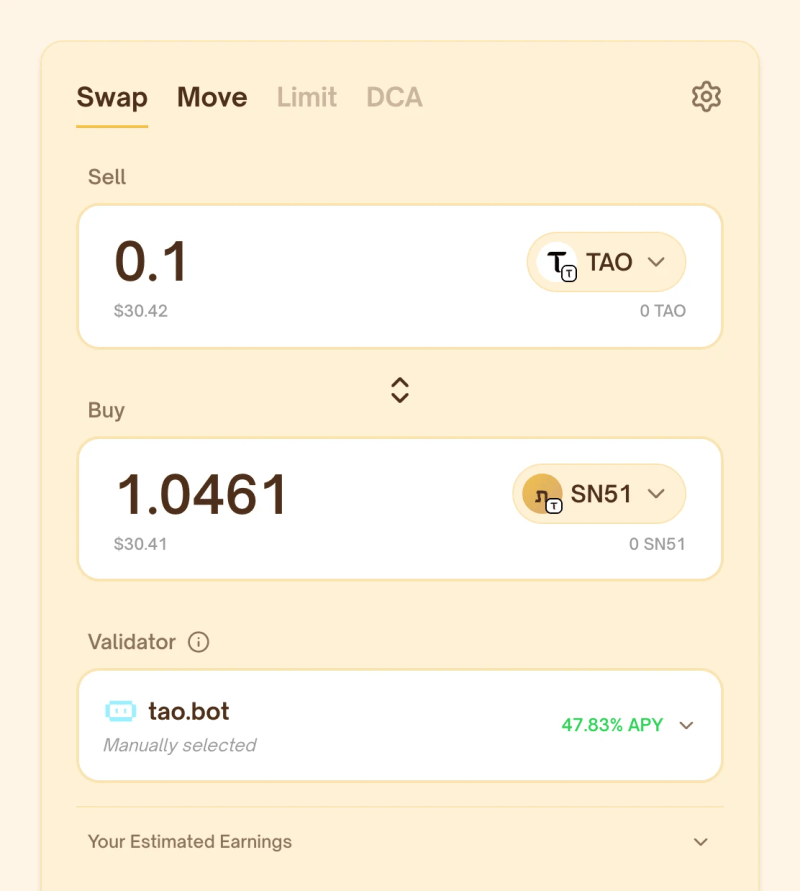
The Swap guide walks through each screen. Quotes and estimated rewards move constantly, and MEV Shield helps protect supported swaps without removing every risk. What MEV protection does explains the limits.
Lium is building for a world where the next GPU renter might not be a person.
Ready to make a swap?
Open PotaTao, connect your Bittensor wallet, and choose the tokens you want to swap.

Related stories

