
How to swap TAO for a subnet token
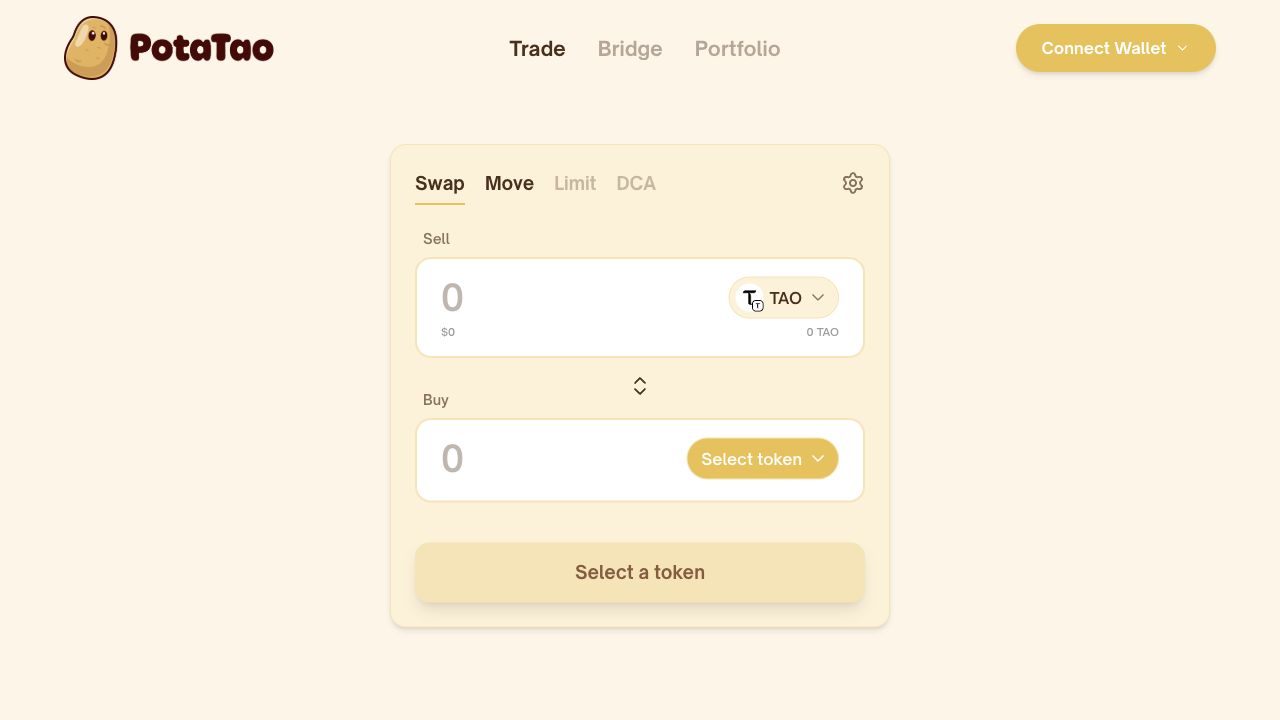
Use Swap to turn TAO into a subnet’s Alpha token. Choose the subnet, review the quote and validator, then confirm the swap.
Lesson outline
Swap TAO in five steps
Connect your wallet
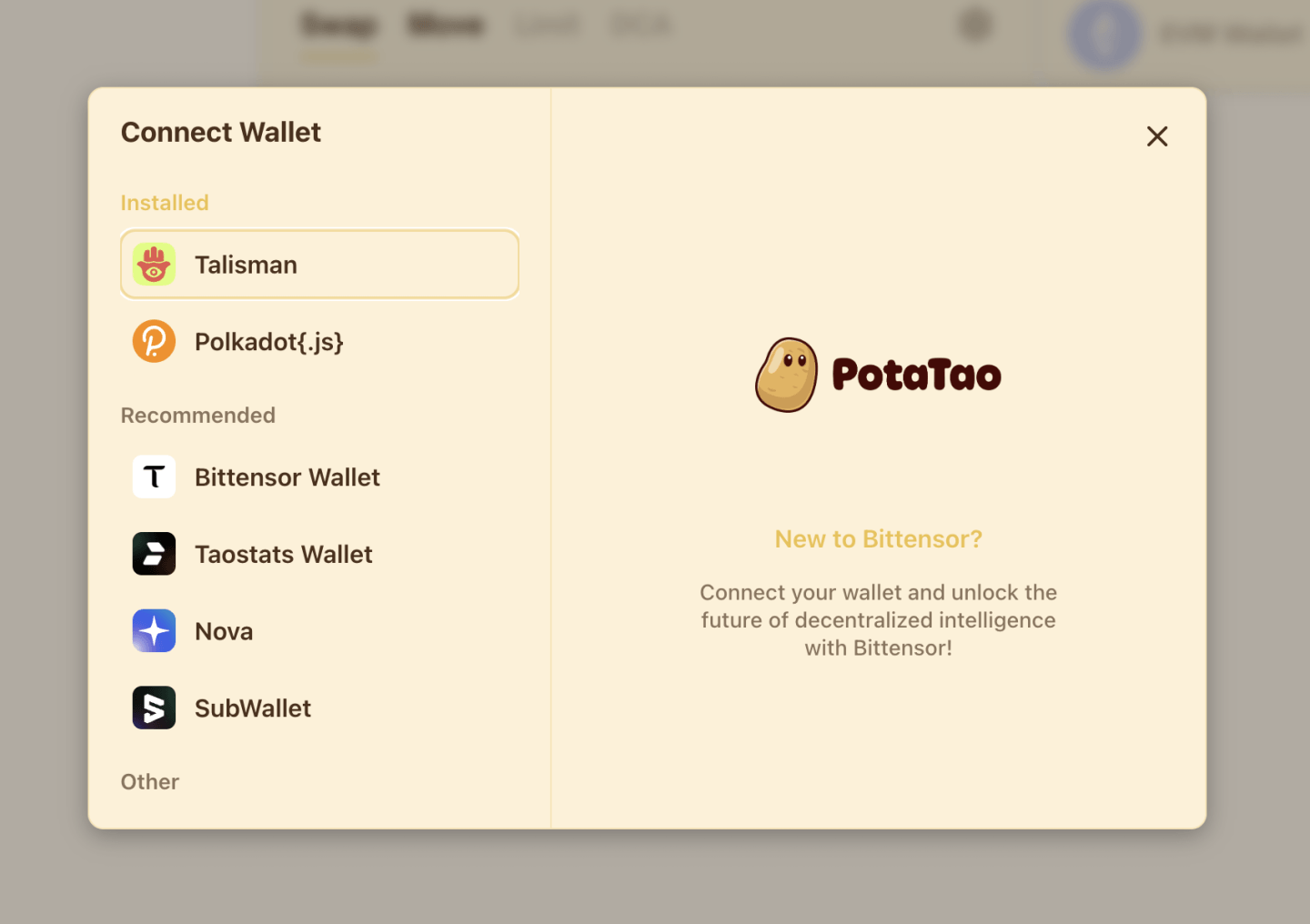
Select Connect Wallet, choose Bittensor Wallet, then select your wallet provider and approve the connection. Connect the address holding the TAO you want to swap. PotaTao never asks for your recovery phrase or takes custody of your tokens.
Choose a subnet token
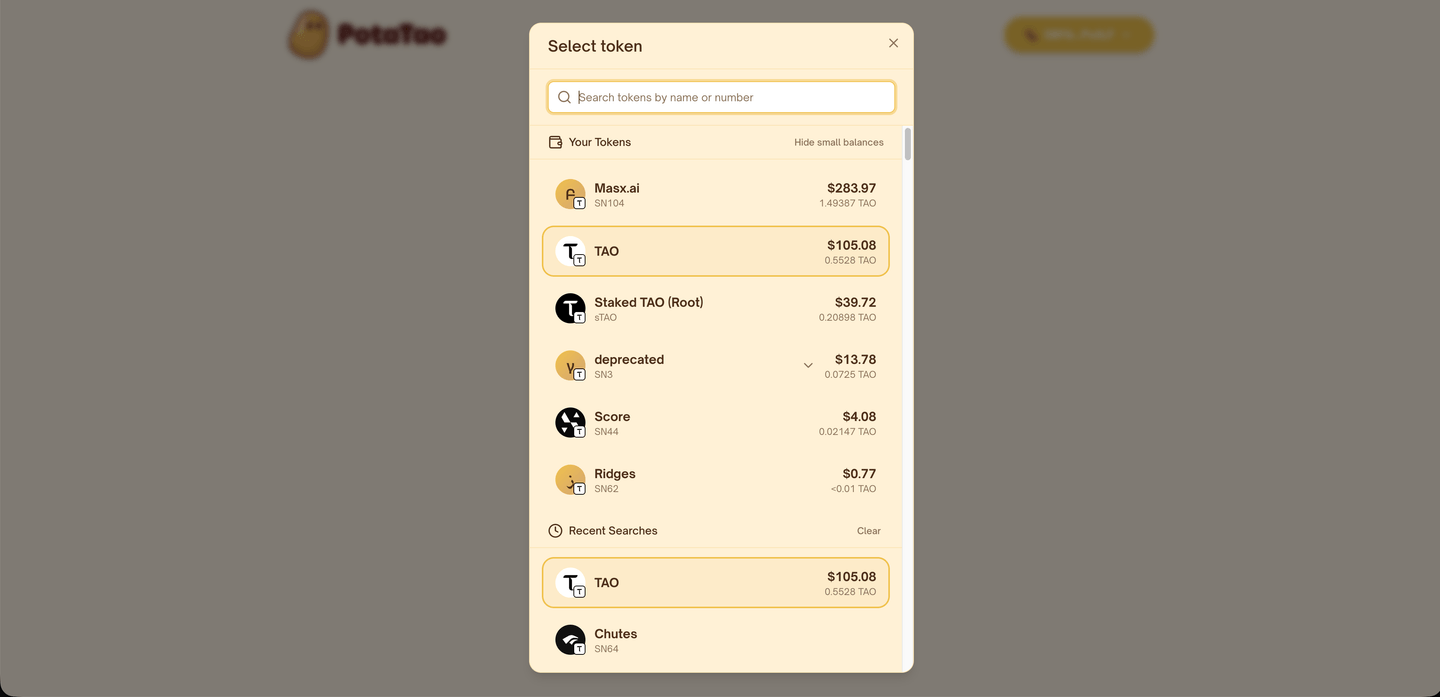
Keep TAO selected in the Sell field. Open Select token in the Buy field, then search by subnet name or number. Choose the subnet token you want to receive.
Enter the amount
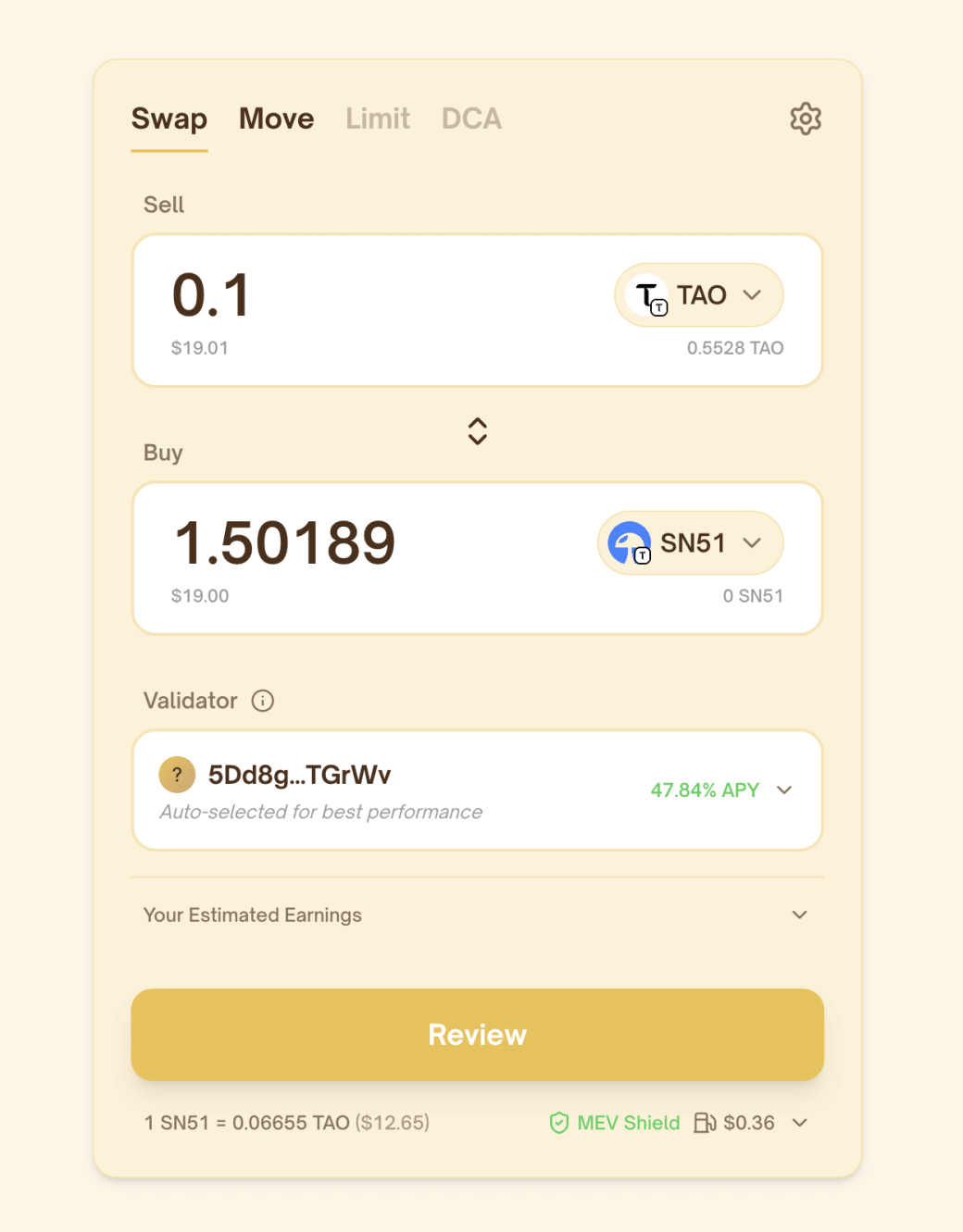
Enter how much TAO you want to swap. Your estimated subnet-token amount updates automatically using current market conditions. Check that the selected token and estimated amount look right before continuing.
Review the validator and rewards
PotaTao automatically selects a validator based on current performance. Open the validator selector to compare available validators and estimated APY. You can also expand Estimated Earnings to see projected rewards over different time periods. APY and reward estimates are variable and not guaranteed.
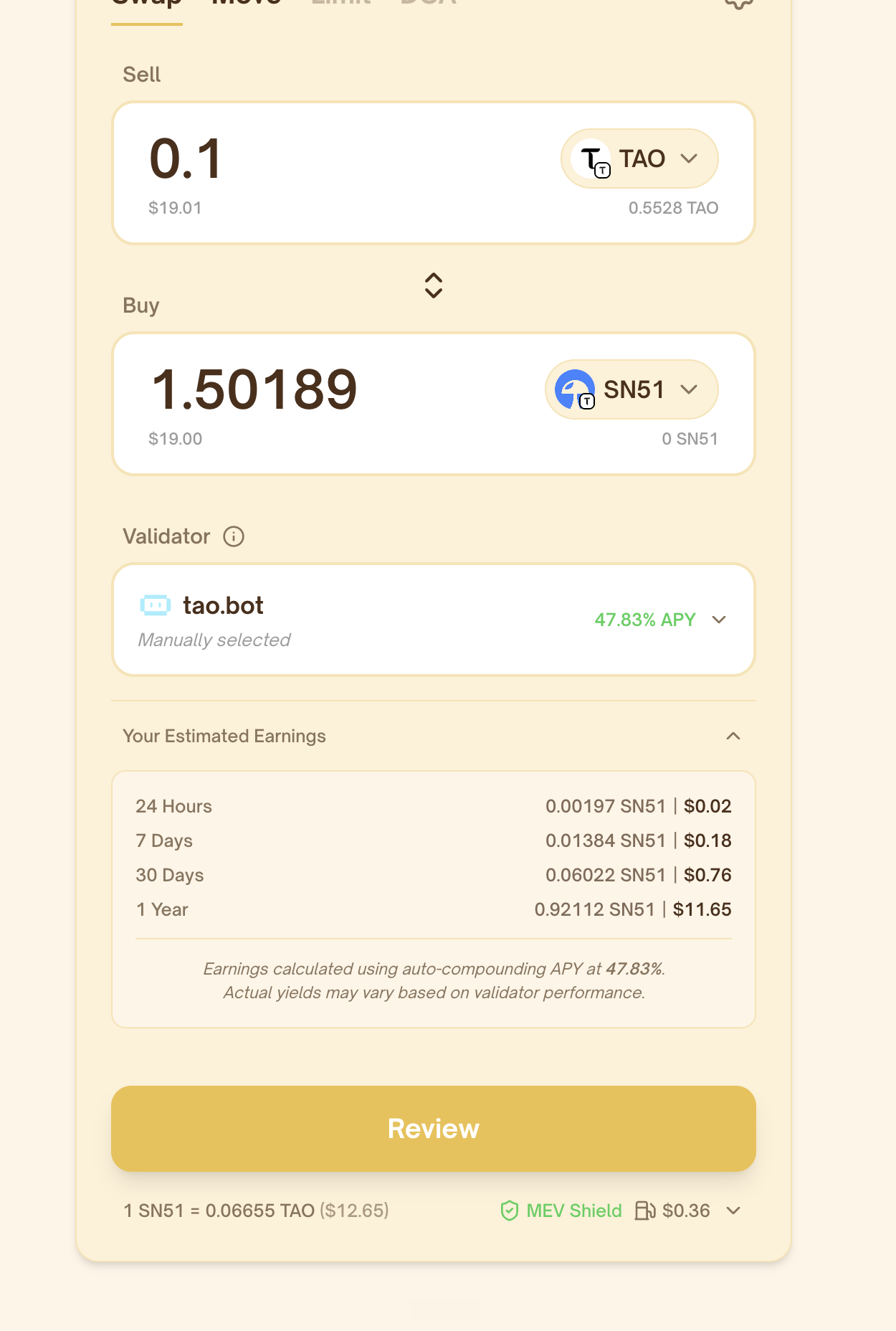
Review and confirm
Select Review and check the TAO amount, subnet-token amount and selected validator. When everything looks right, select Swap and approve the transaction in your wallet. Keep PotaTao open while the swap is processing. Once confirmed, PotaTao will show the final amounts, validator and transaction link.
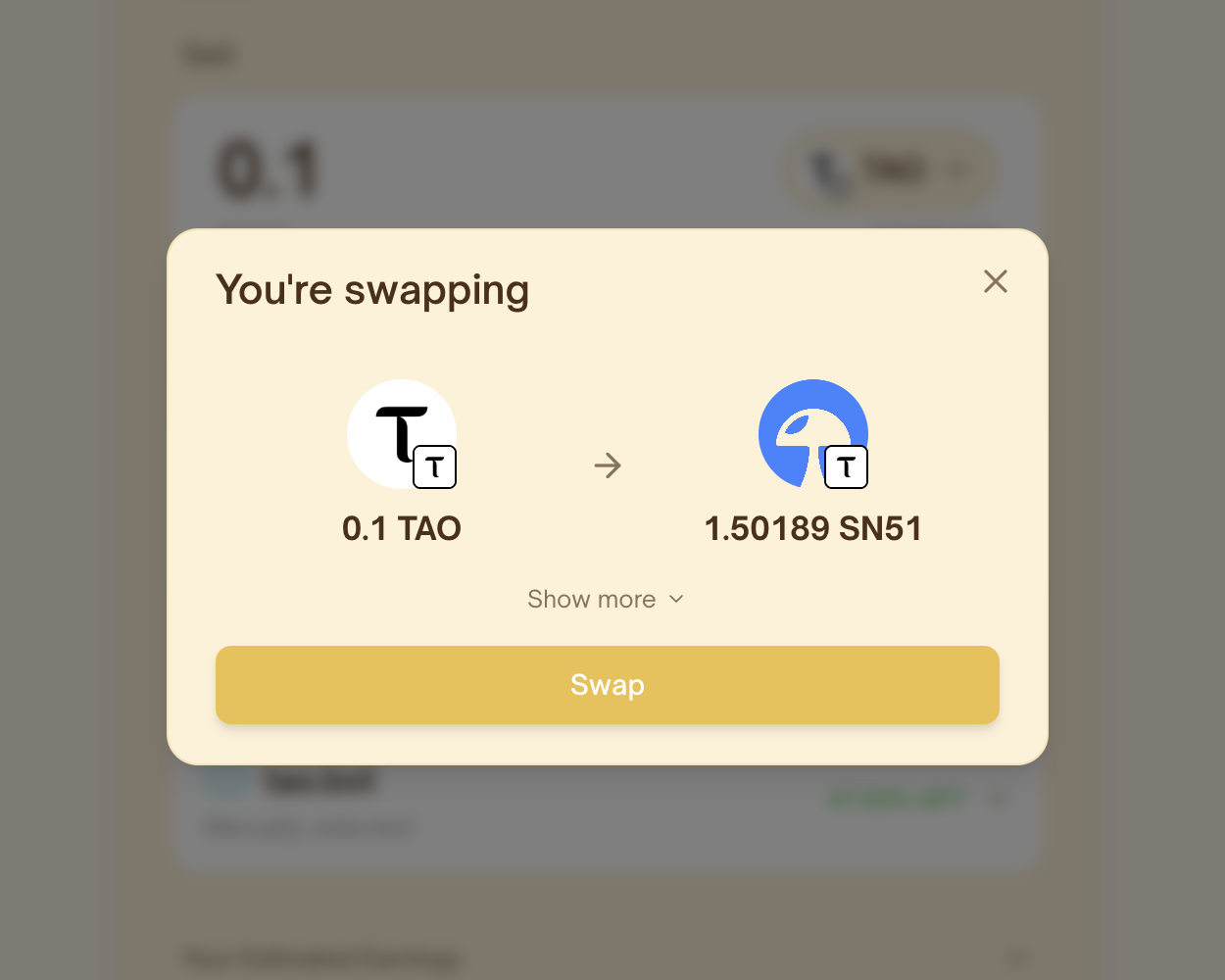


Before you confirm
- Your wallet and TAO amount are correct
- You selected the intended subnet token
- The validator and estimated APY match your choice
- The wallet request matches the swap shown in PotaTao
FAQ
Does PotaTao hold my TAO or subnet tokens?
No. PotaTao is non-custodial. Your wallet holds your keys and asks you to approve each transaction.
Why is a validator selected during the swap?
On supported subnets, your subnet-token position is linked to a validator so it can earn rewards based on that validator’s performance.
Can I choose a different validator?
Yes. Open the validator selector before reviewing the swap and choose another available validator.
Is the estimated subnet-token amount guaranteed?
No. It is based on current market conditions and can change before the swap is confirmed.
Is the estimated APY guaranteed?
No. APY changes with validator and network performance. Treat it as an estimate, not a guaranteed reward.
Can I change validators later?
Yes. Use Move to transfer your subnet-token position to another validator.
Recommended lessons
Keep going
Three useful lessons selected to build on what you have just learned.

Recommended next
How to stake TAO in a subnet
Learn how TAO becomes a staked Alpha position, choose a subnet and validator, and review the details before you confirm.

Also recommended
How to move stake between validators
Move your staked Alpha to another validator in the same subnet—without selling the token or changing subnets.

Also recommended
What is MEV protection?
Learn how MEV Shield helps protect supported swaps from frontrunning and sandwich attacks—and what risks still remain.
Ready to use PotaTao?
Open the app, connect your Bittensor wallet, and check every detail before you sign.
