
How to stake TAO in a subnet
Learn how TAO becomes a staked Alpha position, choose a subnet and validator, and review the details before you confirm.

Lesson outline
On a service subnet, staking swaps your TAO for that subnet’s Alpha token and links the position to a validator. Your wallet remains in control, while the position’s value and estimated rewards can change over time.
Root staking works differently because your position remains in TAO.
PotaTao uses the Swap flow for TAO-to-Alpha staking. Follow the swap tutorial for the exact steps on screen; use this lesson to understand the choices behind them.
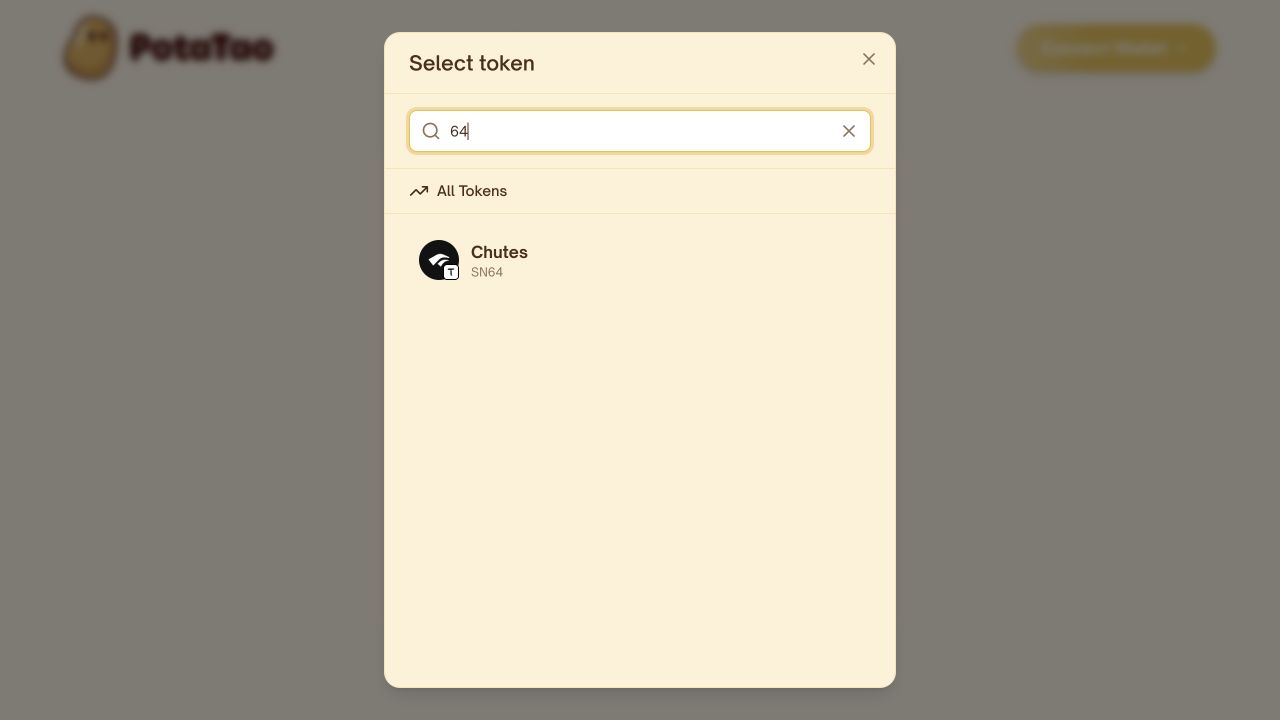
Choose a subnet
Start with what the subnet does—not just the displayed APY.
Confirm the subnet name and number in PotaTao, then consider its Alpha liquidity, available validators, estimated rewards and risks. Each subnet has its own Alpha token and market conditions.
A familiar name or high estimated APY should not be the only reason you choose a subnet.
New to Bittensor? Read “What are Bittensor subnets?”
Choose a validator
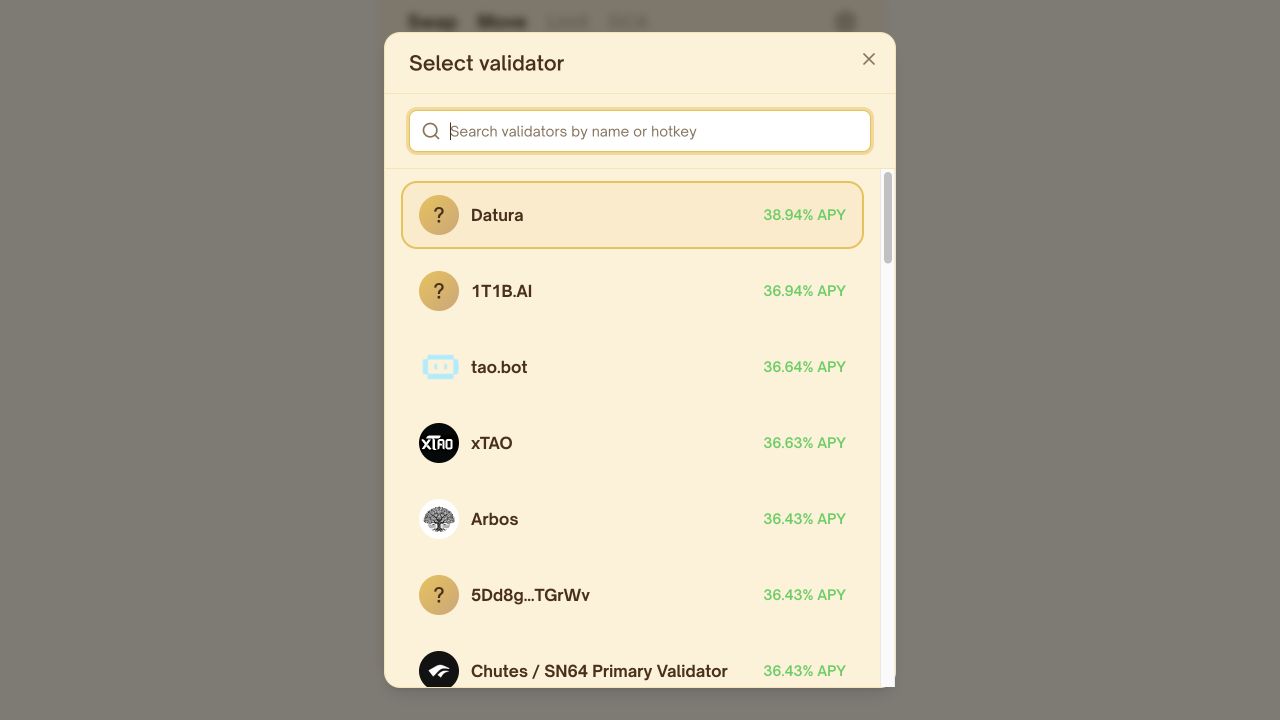
Your Alpha position remains yours, but it is linked to a validator for rewards.
Compare the information available for each validator, including estimated APY, recent performance and validator take—the share of rewards the validator keeps.
These values can change. Treat them as current estimates, not guaranteed future rewards.
Technical details
Your coldkey owns the position. The validator hotkey identifies the validator linked to it.
Review your position
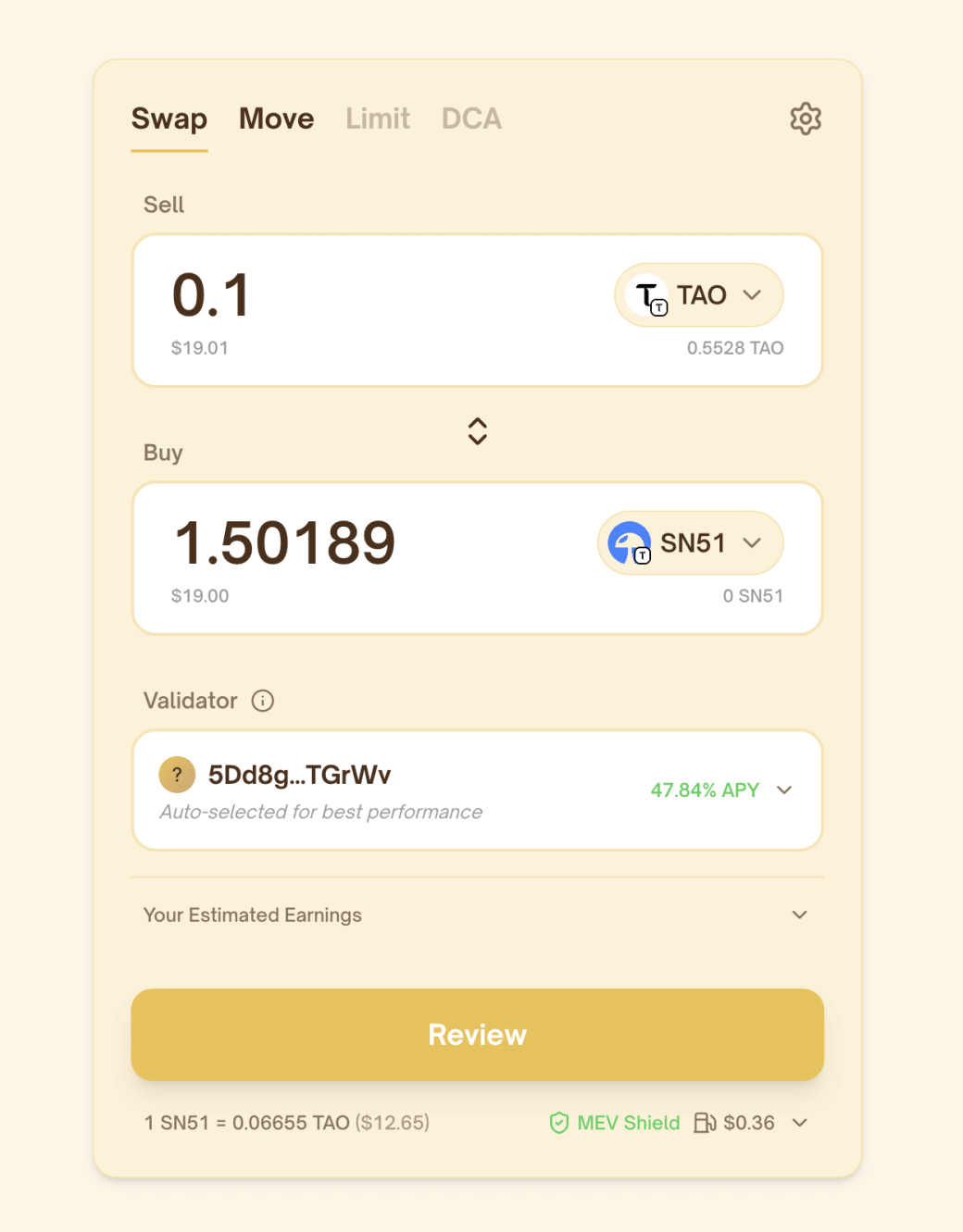
Before continuing, check:
- The amount of TAO
- The subnet and estimated Alpha amount
- The selected validator
- The estimated APY
- Any fees or limits shown
The estimated Alpha amount reflects current pool conditions and includes the price impact of your transaction. It can change before the transaction is completed.
Rewards may increase your Alpha balance, while its value in TAO may rise or fall.
Confirm in your wallet
Select Review and make sure the summary matches what you intend to do.
Then read the request shown by your wallet and approve it only when the subnet, validator and amounts are correct.
PotaTao never asks for your recovery phrase or takes custody of your TAO, Alpha or wallet keys.
Wait for the confirmed result before leaving the page. A pending request is not yet complete.
Know what can change
After you stake, the following can change:
- Alpha price
- Validator performance and take
- Estimated APY
- Subnet emissions
- Pool conditions
- Protocol rules
Estimated APY reflects current conditions. It is not a guaranteed reward.
To change validators within the same subnet, use Move. To choose a different subnet, use Swap, because that changes the Alpha token you hold.
FAQ
Do I receive Alpha when I stake TAO?
Yes. On a service subnet, your TAO is swapped for that subnet’s Alpha token and recorded as a staked position.
Does the validator own my position?
No. You remain the owner. The position is linked to the validator so rewards can be calculated and distributed.
What is validator take?
Validator take is the share of rewards the validator keeps before the remaining rewards are distributed to delegated stake.
Are staking rewards fixed?
No. Estimated APY, the amount of Alpha earned and its value in TAO can all change.
Can I change validators later?
Yes. Use Move to transfer your position to another validator within the same subnet.
How do I exit a subnet position?
Unstake or swap the Alpha back into TAO. The amount you receive depends on current pool conditions, fees and transaction limits.
How is Root staking different?
Root staking remains denominated in TAO. Staking on a service subnet swaps TAO for that subnet’s Alpha token.
Recommended lessons
Keep going
Three useful lessons selected to build on what you have just learned.

Recommended next
How to move stake between validators
Move your staked Alpha to another validator in the same subnet—without selling the token or changing subnets.

Also recommended
What is MEV protection?
Learn how MEV Shield helps protect supported swaps from frontrunning and sandwich attacks—and what risks still remain.

Also recommended
What are Alpha tokens?
Learn what Bittensor Alpha tokens represent, how they are priced, how rewards work, and what risks to understand before taking a position.
Ready to use PotaTao?
Open the app, connect your Bittensor wallet, and check every detail before you sign.
