
Subnets
Hippius subnet 75: the cloud behind your files and apps
Hippius brings storage and compute to Bittensor subnet 75. See how its five products fit together, who supplies them and what to check before using them.

In this article
Hippius is a cloud platform for storing files, delivering them to visitors and running software. It is Bittensor subnet 75, often written SN75. Independent providers supply the hardware, while Hippius brings the services together through one account.
For you, that could mean backing up photos through Drive. For a developer, it could mean keeping an app's uploads in Object Storage, publishing them through a delivery network, or renting a remote computer to run the app. Hippius also has Hub, a place to keep AI models and the software packages that use them.
The services are operated by T34 Corporation FZCO. You use Hippius's account and billing system even though independent operators supply the machines.
Storage for people and the apps they use
Hippius Drive is the personal-file side of the platform. You can browse and share files through a browser, keep a computer folder in sync, or back up photos from a phone. It suits the familiar task of keeping your documents available across devices.
Hippius says Drive encrypts files on your device before uploading them, with the key staying under your control. The app uses that key to make a file readable again. Keep the recovery words somewhere outside Drive: Hippius says it cannot recover them or your unlock password for you.
Object Storage gives software a way to save and retrieve files automatically. Those files sit in named containers called buckets. A website might use a bucket for uploaded images; a backup tool might use one for copies it creates overnight.
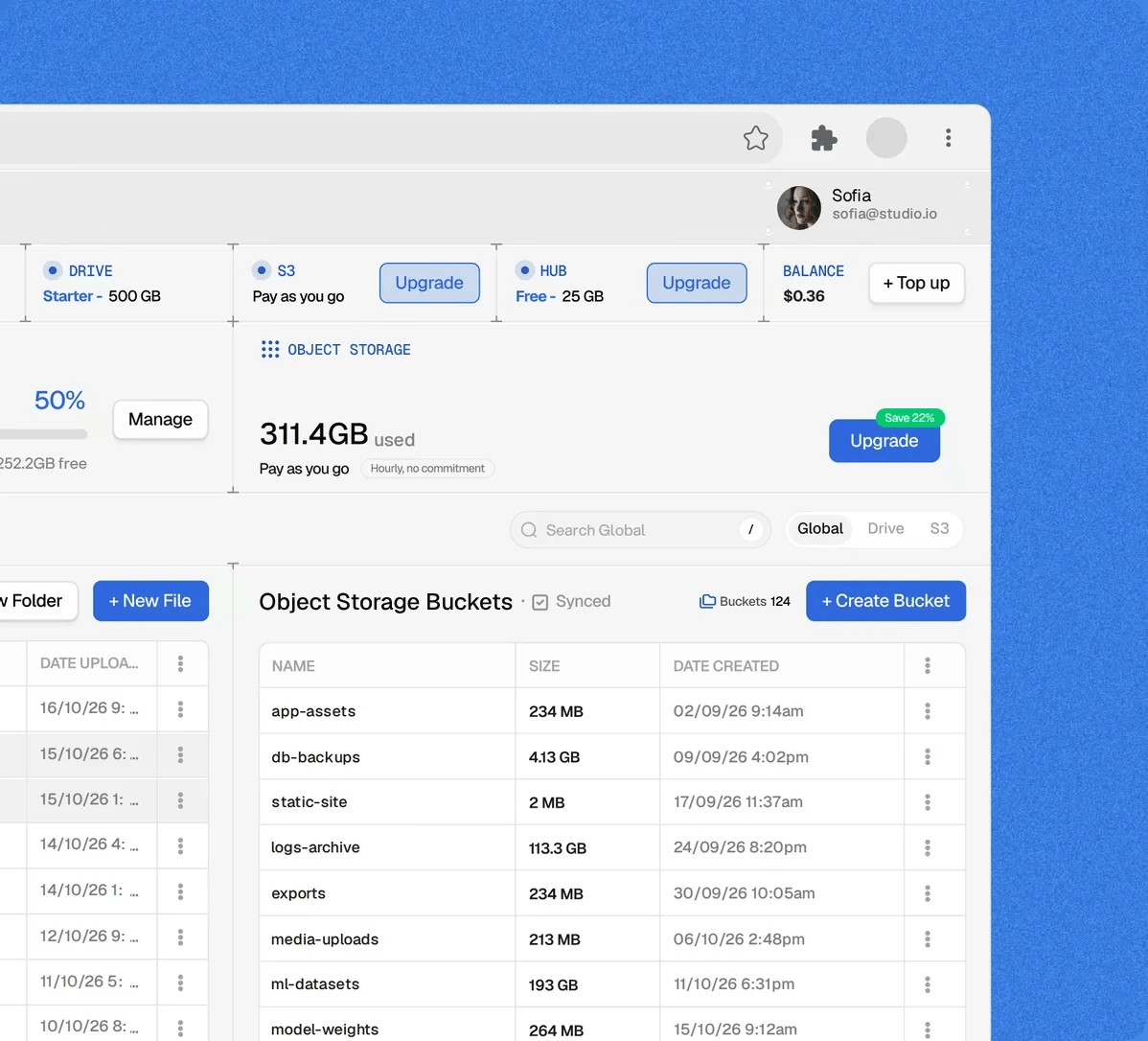
The two products have different privacy boundaries. Object Storage encrypts files while they are stored, but its service gateway decrypts downloads. You should not assume the service is unable to read those files in the same way Hippius describes Drive. Permissions decide who can download them, including whether you make them public.
Object Storage uses an S3-compatible interface. This lets it connect to tools built for Amazon's S3 storage service. Compatibility still has limits. Its current operation matrix says lifecycle rules are accepted without being applied. If a backup tool expects such a rule to delete old files, an acknowledgement does not mean the files will disappear. Check the features your app actually relies on before moving it. Our guide to testing S3-compatible storage covers browser uploads and backup restores.
The cloud services around those files
Storing an app's images is only part of serving its users. Hippius's CDN, short for content delivery network, keeps copies at delivery locations and serves them to visitors. It currently works with Hippius Object Storage buckets, rather than arbitrary web servers.
That is a publishing service. Creating a CDN connection to a private bucket makes the selected files publicly readable through it. For the website example, keep the images intended for visitors separate from private customer uploads.
Hub handles another kind of file: AI models and containers, the packaged software used to run applications. A team can keep its model and software packages in a registry, a library from which its machines download them. Hub supports public access and private areas with restricted download permissions. Those access rules are different from Drive's on-device encryption.
To run software, Hippius has Confidential Compute. Its virtual machines, or VMs, are remote Linux computers you can connect to and configure. The same product family includes managed databases and tools for running applications and automated development jobs.
Hippius says these machines use processor-backed memory encryption and a hardware check before unlocking the disk. The design aims to keep the machine's operator out of the virtual machine's contents. Your application still needs its own access controls. A stopped VM remains reserved and billable. Deleting it ends the reservation but destroys its disk key, so the disk's contents cannot be recovered. Save a separate copy of anything you need before deleting it.
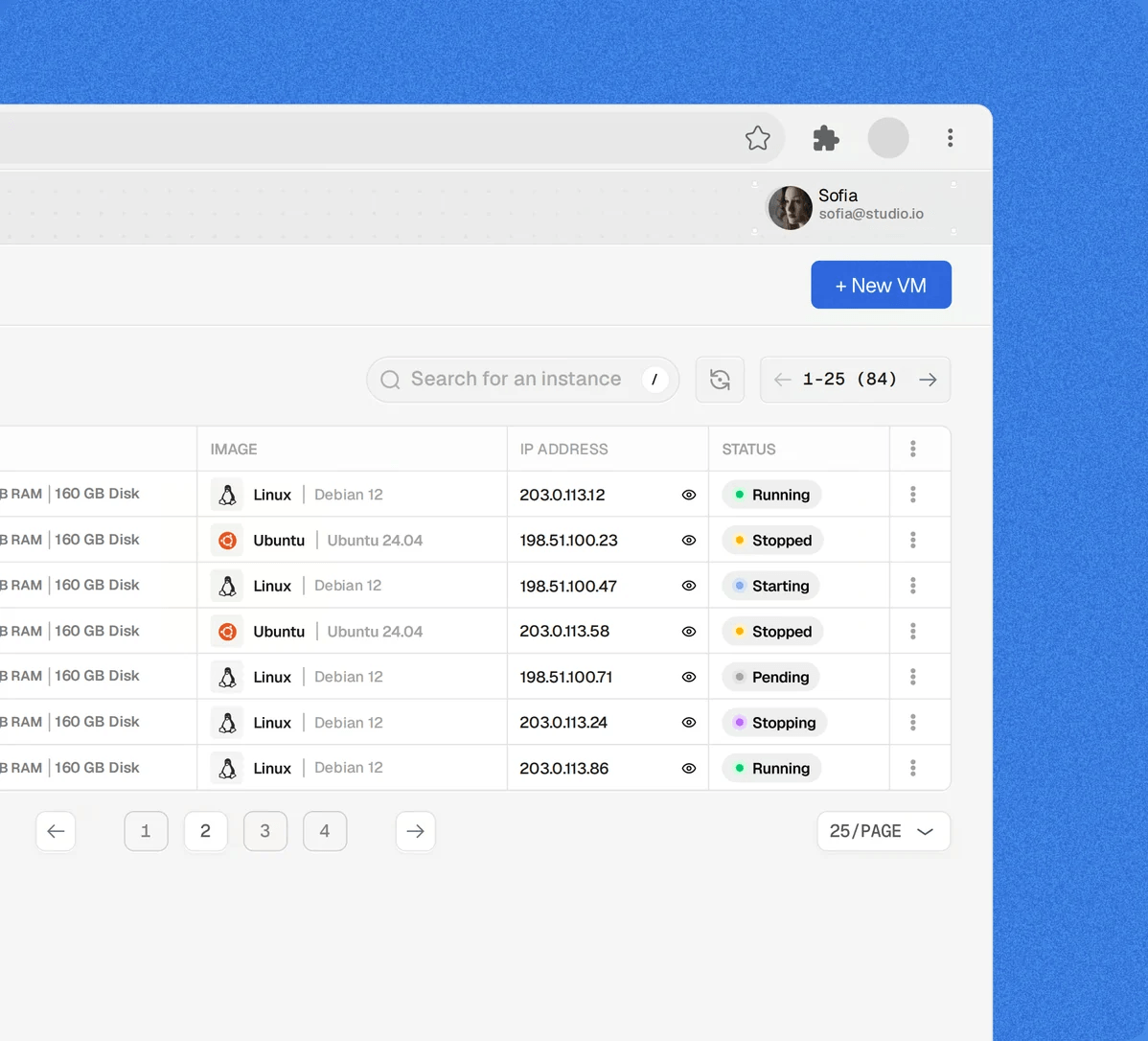
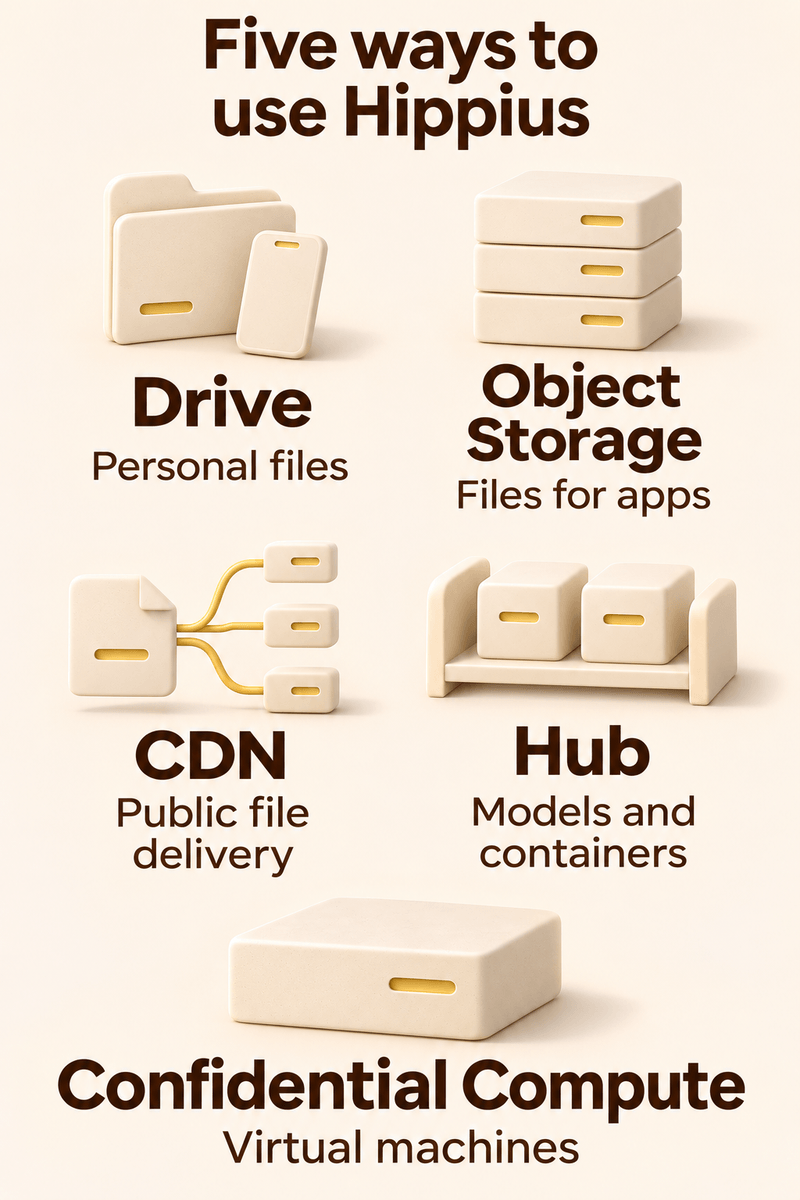
These products cover different parts of an application's life. Object Storage holds its files, a CDN publishes selected files, Hub distributes the model or software, and Compute runs the work. They can be useful separately; using Drive does not require setting up the rest.
A reported customer gives the storage a practical use
Hippius's Ditto case study, published in September, describes an AI assistant using Object Storage for user files and records of its agents' work. Those are two different reasons to keep data after an AI request has finished.
If an assistant refers back to a document, it needs that document to remain available. Records of earlier work can also help a team inspect what an agent did. The case study connects Hippius to that persistent-storage task, rather than suggesting storage itself provides the AI's answers.
This is Hippius's account of a customer's use, not an independently audited measure of adoption or reliability. It illustrates a concrete workload. It does not establish how every app will perform on the platform.
Where the subnet's providers and validators fit
Behind the file services is Arion, Hippius's storage network. It splits files into pieces and spreads them across independent machines, with extra pieces that let the network rebuild data when some machines disappear. Files remain on the providers' hardware; Hippius's own chain records placement and rewards.
Those storage providers are called miners. They keep encrypted file pieces available and answer challenges to show they still hold them. Hippius's validators assess storage, bandwidth and uptime, and those assessments help determine provider rewards. Its documented repair process rebuilds missing pieces on other providers.
Hippius also has compute providers hosting its confidential virtual machines. That extends the hardware supplied by the network beyond file storage. The storage and compute services still have different jobs and protection boundaries.
Bittensor's subnet structure gives this work a place in a network of specialised services. For someone following Hippius, the useful question is how well the supplied hardware serves people keeping files or running apps. A provider check can support that service, but it is not a guarantee that your own app will stay available or that you can recover a lost encryption key.
Using Hippius and owning SN75 Alpha are separate decisions
Service use starts with a Hippius account and the terms for the product you choose. Drive and Hub have storage plans. Object Storage has plans and usage billing, while CDN and Compute draw on the account balance for their use. Payment options include a card and crypto, so you do not need to begin by buying SN75.
SN75 Alpha is the subnet's token on Bittensor. Holding it does not activate a storage plan or give you a balance of computing time. Hippius also has a bridge to hAlpha, its representation on the Hippius network. Moving tokens and paying for a service remain distinct actions.
The product gives you something concrete to investigate when researching the subnet: which customers use it, what they store or run, and how the network keeps that work available. Token price, liquidity and validator performance are separate risks.
If you want to try Hippius, choose the product that matches your task and test it with a small amount of work first. For files, include downloading them again. For an app, check permissions and recovery as well as whether the first request succeeds.
How to buy Hippius SN75 Alpha on PotaTao
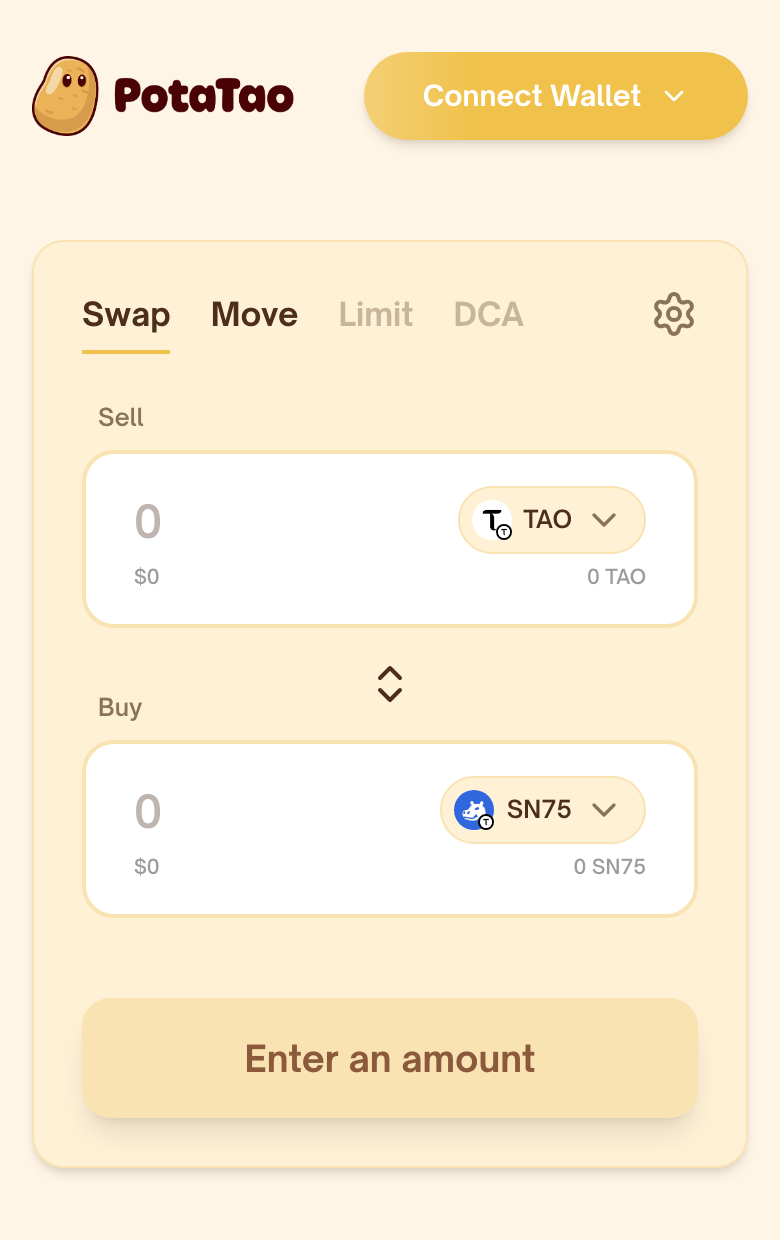
If you decide to buy SN75 Alpha, you can swap TAO for it on PotaTao. If you need TAO first, buy TAO and fund your Bittensor wallet.
- Open PotaTao and select Connect Wallet. Connect the wallet holding the TAO you want to use.
- Leave TAO in Sell. Open Select token in Buy, search for 75, and choose Hippius, SN75.
- Enter the amount of TAO to sell. Check the estimated SN75, price impact, and any fees shown.
- Follow the Swap guide to review the validator and complete the swap. Approve the wallet request only if its details match your intended swap.
Quotes are estimates, and the price can change before a swap completes. Check the current details before you confirm.
Ready to make a swap?
Open PotaTao, connect your Bittensor wallet, and choose the tokens you want to swap.

Related stories


