
Subnets
Targon subnet 4: choosing the compute behind your AI
Targon is Bittensor subnet 4. Compare confidential VMs, bare metal, and sandboxes, understand Alpha risks, and learn how to buy SN4 on PotaTao.

In this article
Running an open AI model yourself lets you choose the software around it and the machine it runs on. You might want to adapt it for an application or work with data on your own terms. First, you need a computer powerful enough to run it.
Targon rents out that computing power. Built by Manifold Labs, the Targon subnet is number 4 on Bittensor, often written SN4. Developers can rent a virtual machine, take control of a whole physical server, or start a temporary workspace for code and AI agents.
Its confidential virtual machines add another reason to look at the service. They are designed to keep the machine's operator out of the memory where your software is running. That is useful when the computer doing the work belongs to someone else.
How do I buy Targon subnet 4 Alpha tokens?
You buy Targon's token, SN4 Alpha, with TAO from a Bittensor wallet you control. On PotaTao, you connect that wallet, choose Targon in the Buy token selector, and swap TAO for SN4 Alpha after checking the quote and validator.
Do I need TAO to buy Targon Alpha?
Yes. SN4 Alpha is bought from Targon's subnet pool with TAO. To pay with dollars or another coin, buy TAO and move it to your wallet first.
Can I swap Targon Alpha back to TAO?
Yes. Swapping SN4 Alpha back to TAO, called unstaking, sells it into Targon's subnet pool. What you get depends on the pool's price at that moment, the price impact of your own order, and the pool swap fee, so it can be more or less than you paid.
A place to run your own AI
Imagine you are building an assistant around an open model. You want to install the model yourself and change the software around it as the project develops. A rented virtual machine gives you a remote Linux computer to work on, with a GPU if the job needs one. You connect through SSH, a standard way to access another computer, and run your own software.
Targon's VM setup starts with choosing an operating-system image and hardware tier, then attaching an SSH key for access. This gives you more responsibility than using a hosted model API: installing your software and managing the environment are part of the job.
For developers who need control over the kernel or drivers, bare metal gives an organisation the entire physical server. For shorter experiments, Targon has sandboxes: temporary Linux environments for running code or giving an agent somewhere to work.
These are different ways to rent the infrastructure behind an application. If you have read our Lium spotlight, the idea will be familiar. With Targon, the choice extends to how much of that computer you want to manage and whether you need its confidential VM design.
Keeping data private during a job
An encrypted file still needs to be opened before software can work on it. That creates a privacy question for anyone renting a computer: what can the operator of that machine see while the job runs?
Targon's confidential VMs use Intel TDX to isolate the virtual machine's memory from the host operating system and hypervisor, the software layers that manage the machine. Memory encryption is handled by the CPU, and transfers to supported NVIDIA GPUs are encrypted too. The aim is to let you use someone else's hardware without giving its operator access to the contents of your VM's memory.
There is a check before the VM can unlock its disk. Its measured boot state must match the expected values before the disk key is released. This is called attestation, and the Manifold and Intel whitepaper explains the design in depth.
The protection applies to supported confidential VM hardware; bare metal does not have it. It also relies on trusted hardware and verification services. Your application still needs its own access controls, and encryption cannot stop a provider switching the machine off.
Temporary workspaces for experiments
A temporary workspace can save you from setting up a full machine for every test. Targon's sandboxes open in a browser terminal, with a desktop available on templates that support one. You can copy an environment into an independent fork, or save a configured environment as a template to use again.
In the assistant example, you could keep a working setup and fork it to try a change without disturbing the original. When the experiment ends, an idle timer can pause it or a delete timer can remove it permanently. Paused sandboxes have their own hourly rate, so pausing and deleting have different effects on both the environment and the bill.
Targon currently labels VMs and sandboxes as beta. The VM guide warns of unavailable capacity and possible data loss; sandbox controls can vary by template and organisation. Keep a separate copy of important work and a way to recreate the setup before relying on it.
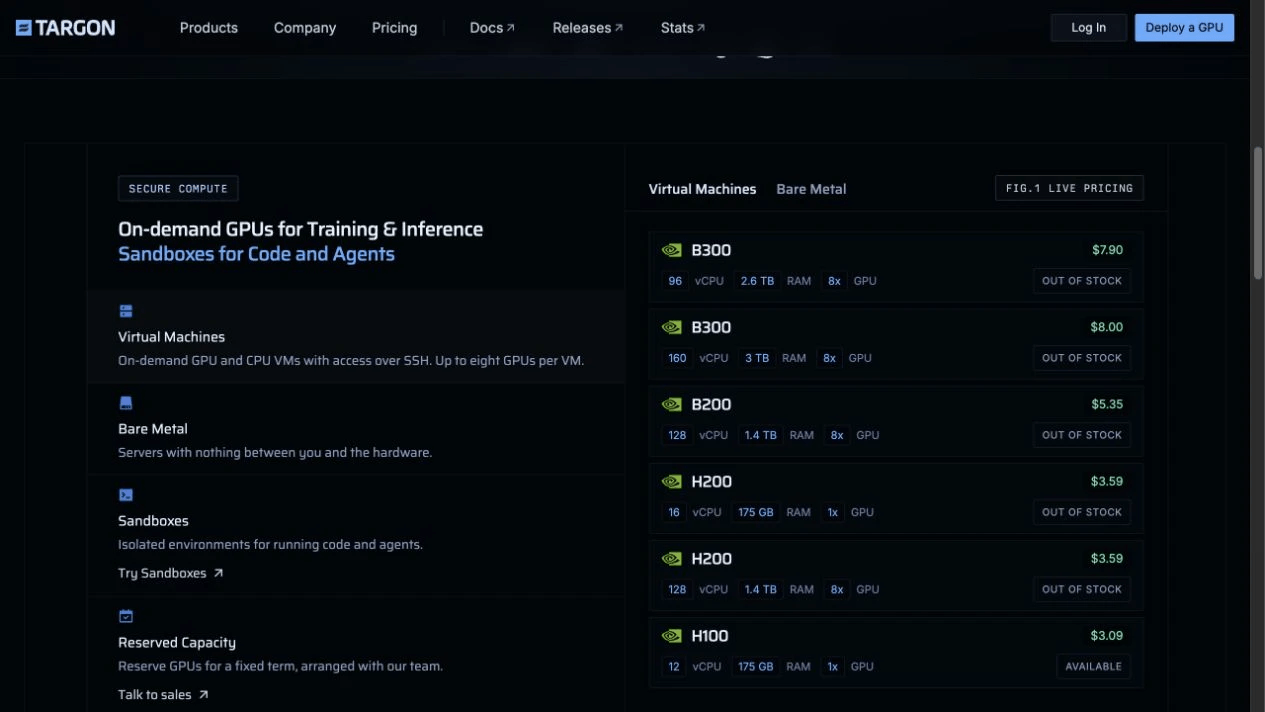
The cost depends on the environment you choose and how long you use it. Targon's inventory page lists hourly VM and bare-metal pricing, while reserved capacity is arranged with the team. Bare-metal rates and availability vary by region. Compare the full configuration for your job, including any paused sandbox costs, rather than a GPU name or headline hourly rate alone.
Where Bittensor fits
Behind that cloud service are the people supplying the machines. On Targon, those providers are Bittensor miners. Validators assess subnet work, and Bittensor distributes incentives through the network. The computing itself happens off-chain; the blockchain coordinates participation and rewards.
Targon's mining setup uses TargonOS to prepare a provider's node, attest on boot, and set up encrypted storage. Its auctions set targets for compute capacity and payments per card. As more cards join an auction, its reward pool is shared across them; unallocated auction emissions are burned.
This is how the subnet encourages providers to bring hardware online. For someone following Targon, the next question is how well that supply serves people running real jobs. Available machines, jobs that finish, and customers returning are more useful signs of a working service than a hardware list alone. The public Targon repository lets you inspect its software, but code and miner incentives do not establish customer demand.
That also gives you a way to think about SN4's Alpha token. It is a position in the subnet's on-chain market, separate from a rental bill. Holding Alpha does not give you shares in Manifold Labs or a balance of GPU hours.
Staking TAO into a subnet exchanges it for Alpha, whose value in TAO can change. Delegated rewards also depend on the validator. Bittensor's staking guide explains the mechanics. Understanding what Targon sells is a useful starting point for researching SN4; a useful compute product still leaves token price, liquidity, and validator performance to consider.
How to buy Targon SN4 Alpha on PotaTao
If you decide to buy SN4 Alpha, Targon appears in PotaTao's Buy selector. The Swap guide walks through the interface.
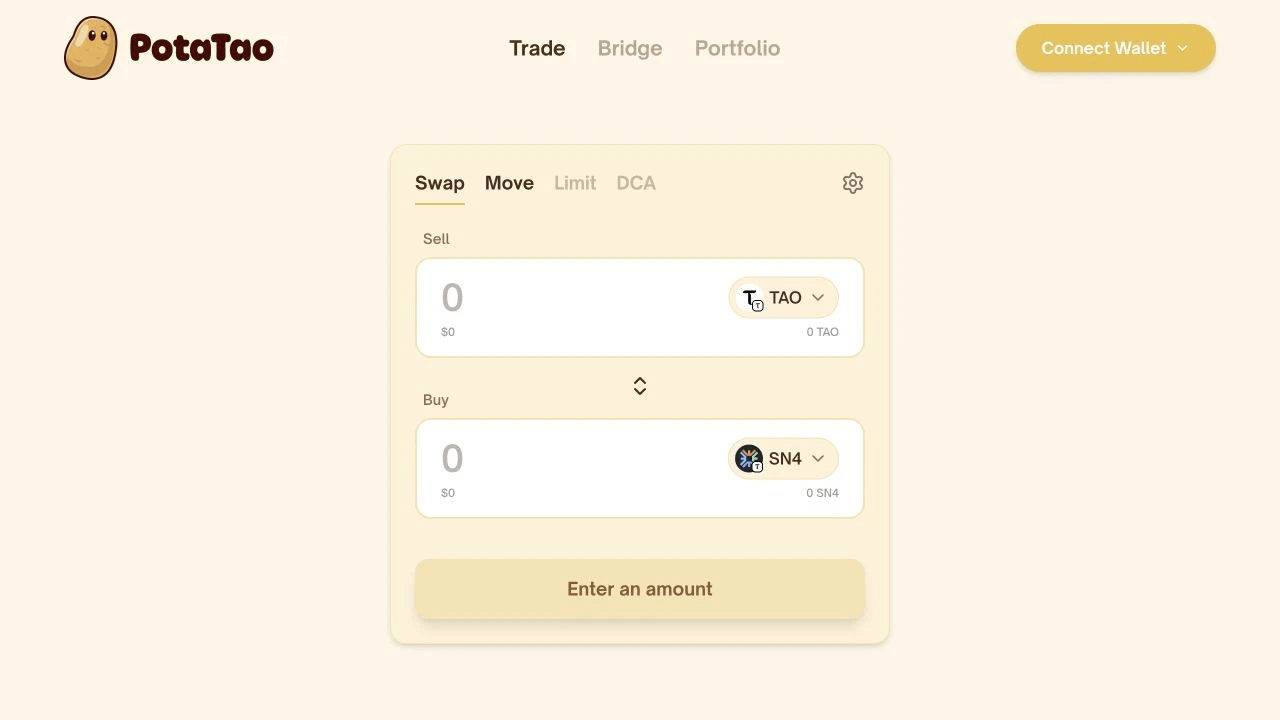
- Open PotaTao and select Connect Wallet. Connect the wallet holding the TAO you want to use.
- Leave TAO in the Sell field. Open the Buy token selector and choose Targon, SN4.
- Enter the amount to sell. Check the estimated SN4, price impact, and any fees shown.
- Review the selected validator and its estimated APY. Open Settings to check max slippage and MEV Shield.
- Select Review, check the amounts and validator, then select Swap and approve it in your wallet only if the request matches.
PotaTao never takes custody of your tokens. Quotes and rewards are estimates, and MEV Shield helps protect supported swaps without removing every risk. What MEV protection does explains the limits.
Ready to make a swap?
Open PotaTao, connect your Bittensor wallet, and choose the tokens you want to swap.

Related stories


