
Guides
How to choose an LLM fine-tuning service
Compare what an LLM fine-tuning service gives you, from a hosted model ID to downloadable weights, and test whether you can run the result elsewhere.

In this article
An LLM fine-tuning service trains an existing language model on examples of a task you want it to do. Before you pick a provider, ask what you'll get when the job finishes. If you plan to move the model later, ask for files you can download and test outside the provider's service.
Suppose you're building a tool to sort customer requests. You want it to put each request into one of your categories and send unclear cases to a person. Start by testing whether a prompt with a few examples gets that behaviour consistently. Fine-tuning is worth trying if the model still makes the same kinds of mistakes and you have good examples of what it should do. If it needs to look up this week's returns policy, give it access to the current policy when it answers. That's retrieval-augmented generation, or RAG. You can use both in the same tool. Google's guide to grounding and tuning
Check what comes back from the training job
A provider may offer a hosted model and a download from the same job. Ask which of these you'll actually receive for the model and training method you choose.
- Hosted model ID. Your app sends requests to the provider and names the tuned model by its ID. This can be enough if you want the provider to keep running it. The ID points to the model inside that service. To move it, you'll need a separate export.
- LoRA adapter. LoRA leaves the starting model, known as the base, in place and trains a smaller set of numbers called adapter weights. Take the adapter weights and their configuration with you, then load them on the exact base model revision used in training. Check that you can still obtain that revision. Hugging Face's guide to loading adapters
- Full model checkpoint. This contains the full set of weights, the numbers that determine how the model behaves. It can come from updating all the weights during training or from merging an adapter into its base. Ask for the model configuration and tokenizer files too. The tokenizer tells the software how to break text into pieces the model can read. Together AI's checkpoint guide
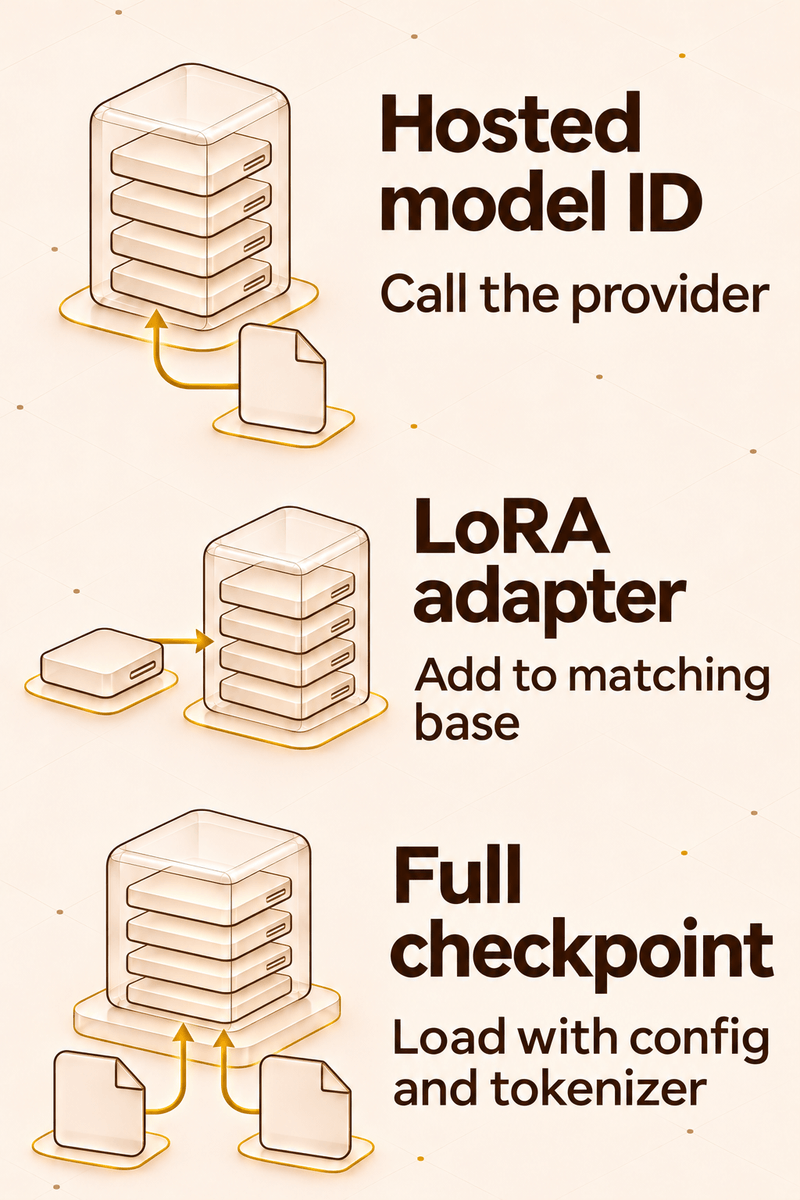
What the provider hands back
Together AI documents a managed job that can end in a hosted endpoint or a local download. For a LoRA job, you can download the adapter on its own or choose merged weights that already include the base. A full fine-tune returns the full set of trained weights. Together AI's deployment and download options
Fireworks documents downloading LoRA adapters and their base models and merging them off-platform. Its older managed supervised fine-tuning service has stopped taking new jobs. New runs use its Training API. Fireworks supplies the GPUs and you keep the training process running until the job finishes. Fireworks export options · Fireworks migration guide
Gradients, powered by Bittensor subnet 56, describes a service where you choose a model and dataset, start the job in its web app or through an API, and access the finished model through Hugging Face. Gradients lists browser access as desktop-only during its alpha. The subnet also runs tournaments where miners submit training code and compete on shared tasks. Before uploading, ask which files you'll find in Hugging Face, who can access the dataset and the finished model, and whether you can use the files elsewhere. Gradients training service · Gradients web app · Gradients on Demand repository
Test the handoff with one small job
Set aside examples the model won't see during training. For the customer-request tool, include everyday tickets and awkward cases where it should ask a person to decide. Write down what counts as a pass before you start. Run the untuned model with the prompt you'd actually use, then score the hosted fine-tune on the same examples. Count correct assignments and flag each time a model guessed when it should have sent the ticket to a person. Google's model comparison guide
Before the job, record the exact base model and revision, and check the provider's terms and the base model licence for the way you plan to run or distribute the result. If you'll release the tuned model, check what the licence permits you to share. Once the job finishes, download the files under your own account and load them in the environment you may move to. Rerun the same examples with the same prompts and settings where possible. Look for changes that matter to the task, such as an exported model that assigns unclear tickets to a category instead of handing them to a person. Example base model licence from Meta
If the export is part of what you're buying, ask for that separate run to be part of acceptance. Agree on the environment it must run in and the results it needs to match. If you're deciding where to run the downloaded model, start with the choices in our guide to decentralized compute.
Ready to make a swap?
Open PotaTao, connect your Bittensor wallet, and choose the tokens you want to swap.

Related stories


